
EVERYTHING BILLSKING DOES
One app for the whole business day.
Billing, POS, stock, purchases, payments, GST, WhatsApp and staff — 61 working functions, shown here with real screens.
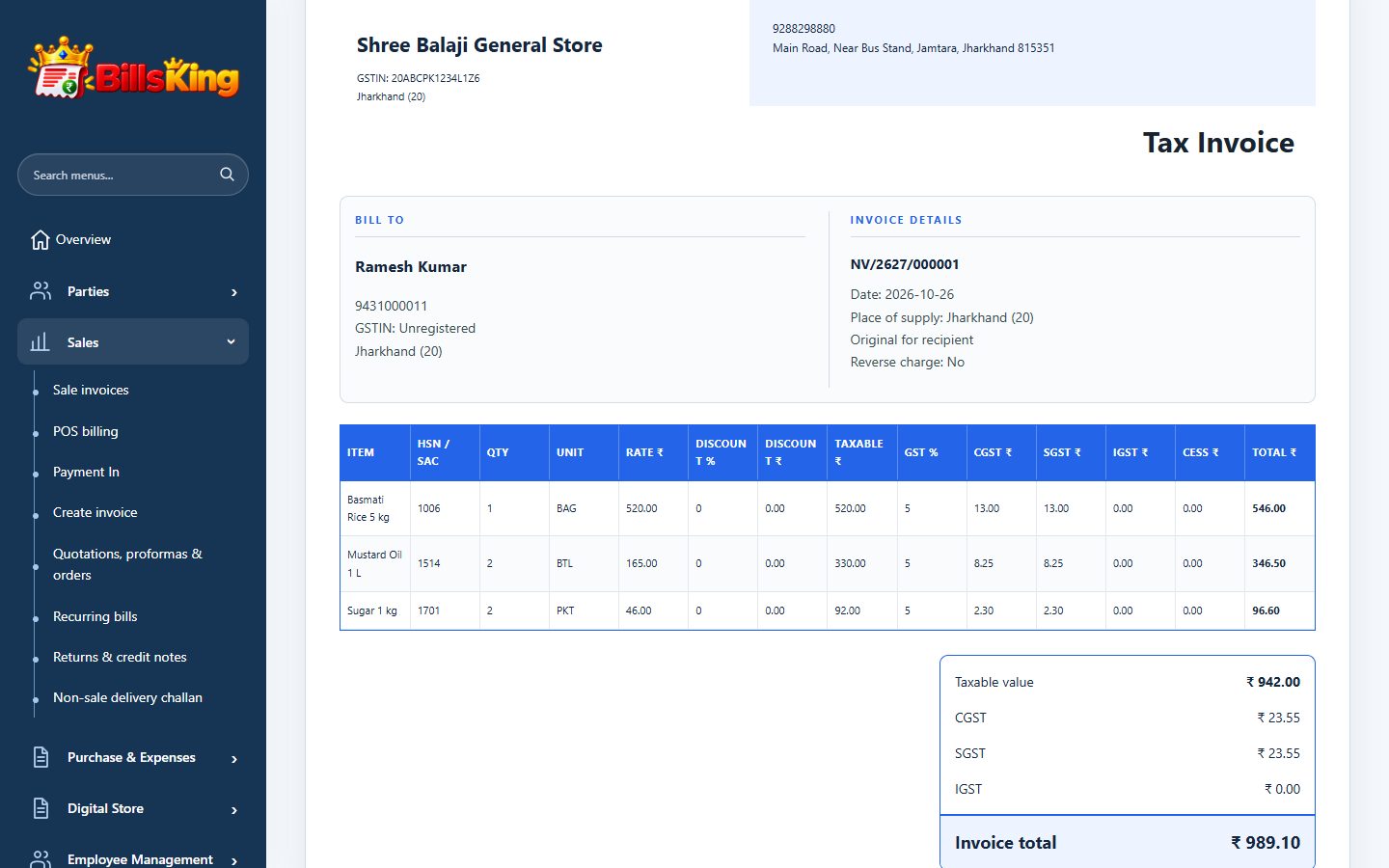
01 · BILLING & SALES
Billing & sales
Every kind of sales document a business sends, printed the way you want.
- GST & non-GST invoicesCGST/SGST or IGST worked out from the place of supply, item by item.
- Quotations, proformas & sale ordersConvert an accepted quotation or order into an invoice without retyping.
- Delivery challansSend goods with a challan, bill them later.
- Recurring billsRent, AMC or monthly service bills created on schedule.
- Returns & credit notesLinked to the original bill; stock and party balance update together.
- Print A4, A5 & thermalSaved layouts, your logo, signature, terms and bank / UPI details.
- Edit with historySaved bills can be corrected; earlier versions stay in the audit history.
- Profit on every billSee the gross profit of a single invoice from FIFO stock cost.
- Due dates & customer rewardsSet payment due dates and run a points-based loyalty programme.
02 · POS COUNTER BILLING
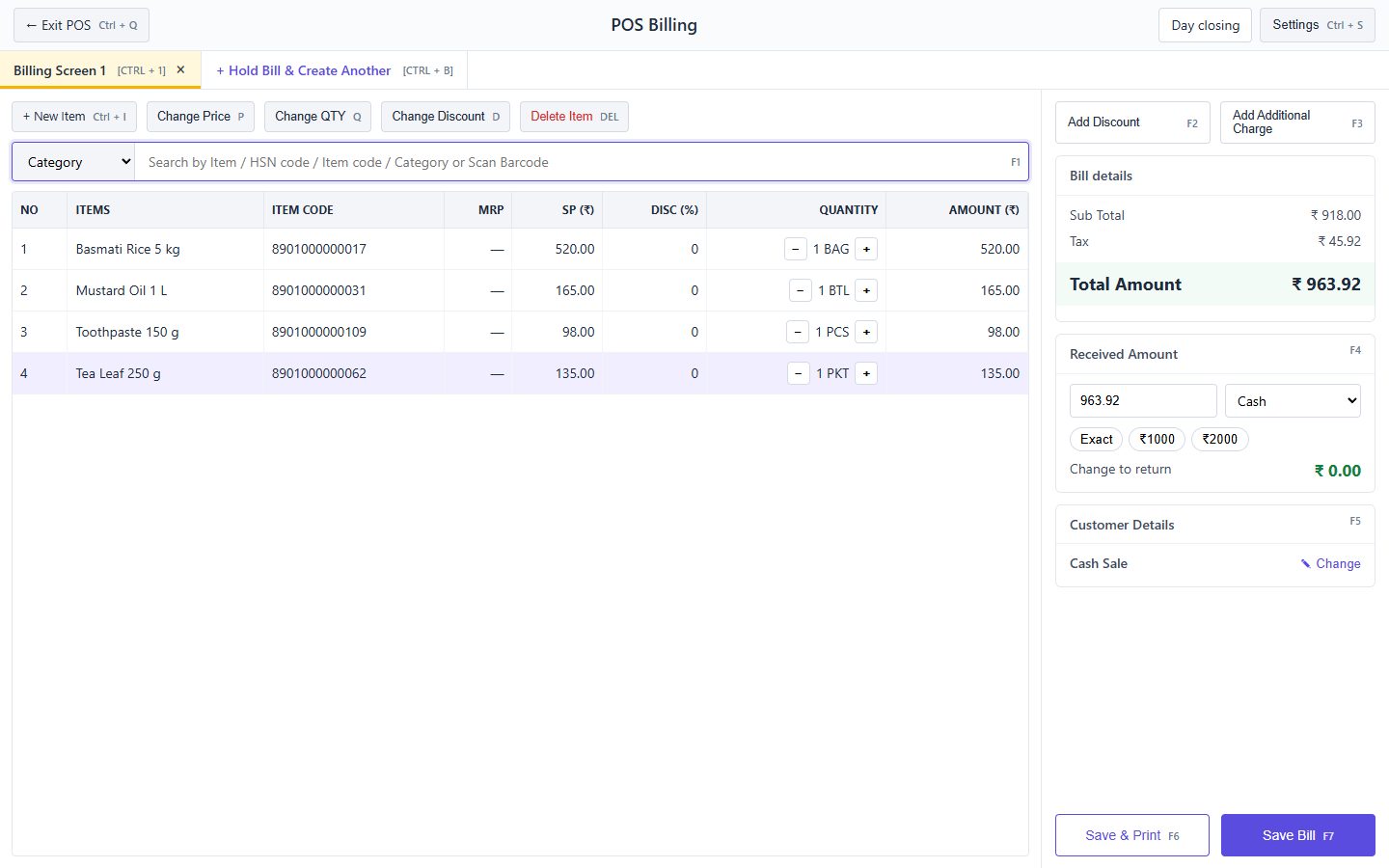
POS counter billing
A fast full-screen counter for shops with a queue.
- Barcode scanningScan with any USB or Bluetooth scanner, or search by name, code or HSN.
- Hold & switch billsKeep several customers’ bills open at once.
- Keyboard shortcutsChange price, quantity, discount and save without the mouse.
- Cash, UPI & cardReceived amount, quick-cash buttons and change to return.
- Day closingCount the drawer and close the day with totals by payment mode.
- Card machine linkRecord card machine (POS terminal) collections against the bill.
03 · PURCHASES & EXPENSES
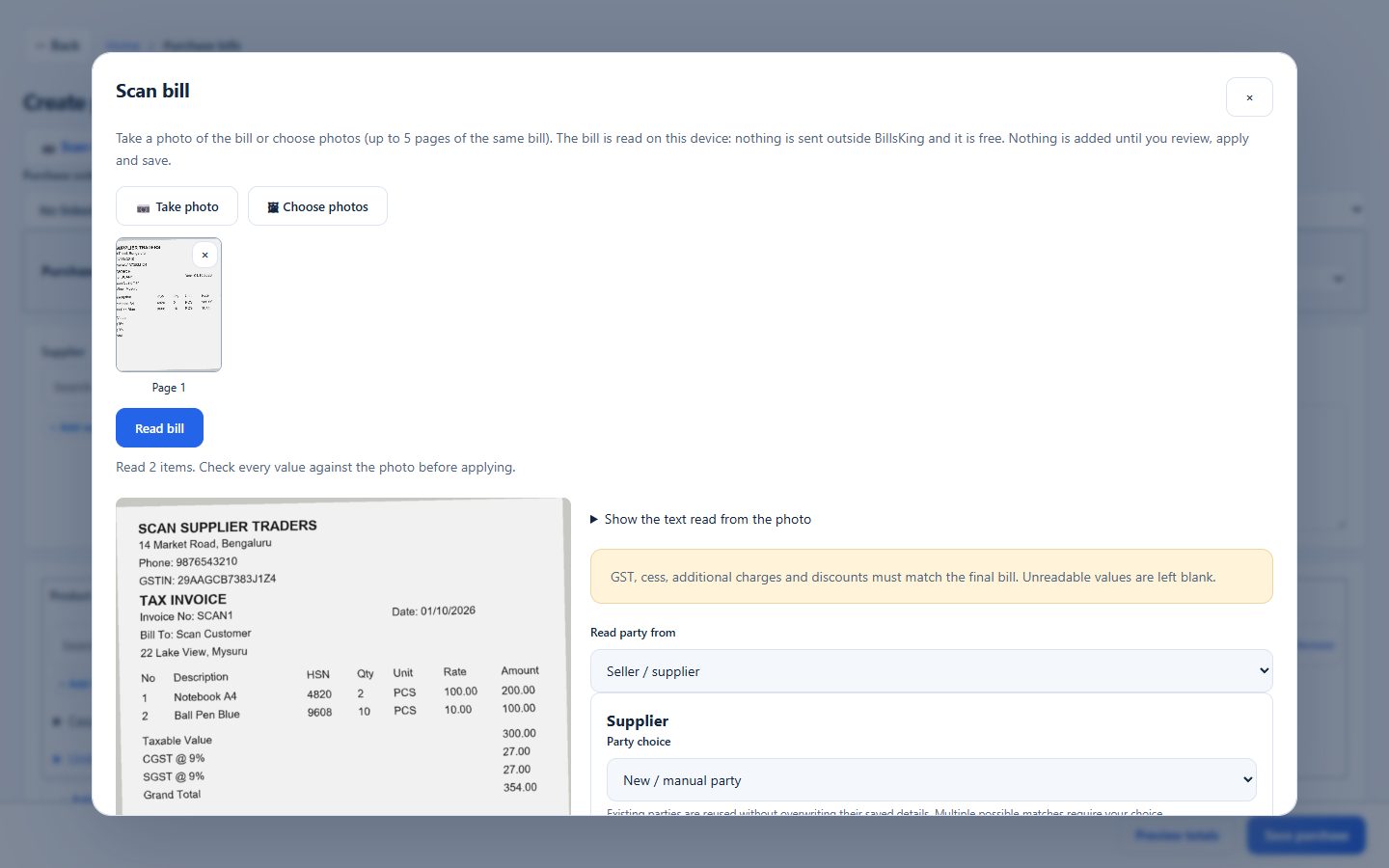
Purchases & expenses
Enter supplier bills in seconds and keep every expense categorised.
- Scan a bill photoTake a photo of a supplier bill; items, rates and totals are filled in for you to check. Works on the device, free.
- Purchase bills & ordersSupplier bill number, place of supply, input tax and stock received in one save.
- Purchase returns & debit notesSend goods back with a linked record.
- ExpensesRent, electricity, salaries and more, by category and payment account.
- Landed costsSpread freight and loading onto item costs.
04 · ITEMS & INVENTORY
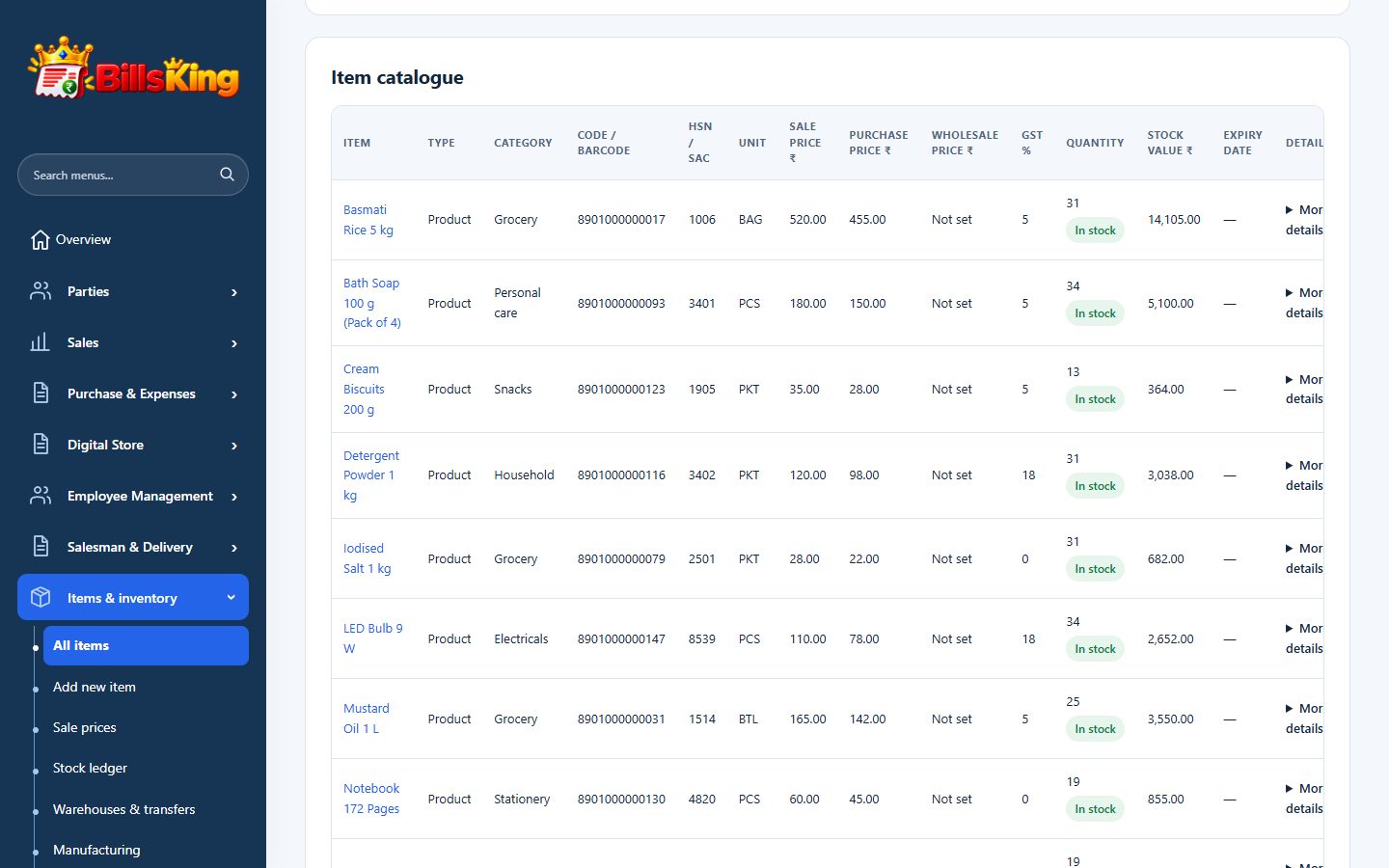
Items & inventory
A catalogue that knows what is on the shelf and what it cost.
- Item catalogueHSN/SAC, units, categories, MRP, sale, wholesale and purchase prices.
- Barcode labelsGenerate and print barcode labels for your items.
- Low stock & expiryMinimum stock alerts, batch, expiry and serial-number tracking.
- FIFO stock valueStock ledger with quantity and value after every movement.
- Warehouses & transfersKeep stock in more than one place and move it between them.
- ManufacturingTurn raw materials into finished goods with FIFO cost, wastage and overheads.
- Import from Excel & TallyBring items, parties and opening balances in from a spreadsheet or Tally.
05 · CUSTOMERS & SUPPLIERS
Customers & suppliers
Know who owes you, whom you owe and since when.
- Party recordsGSTIN, phone, billing and shipping address, area grouping.
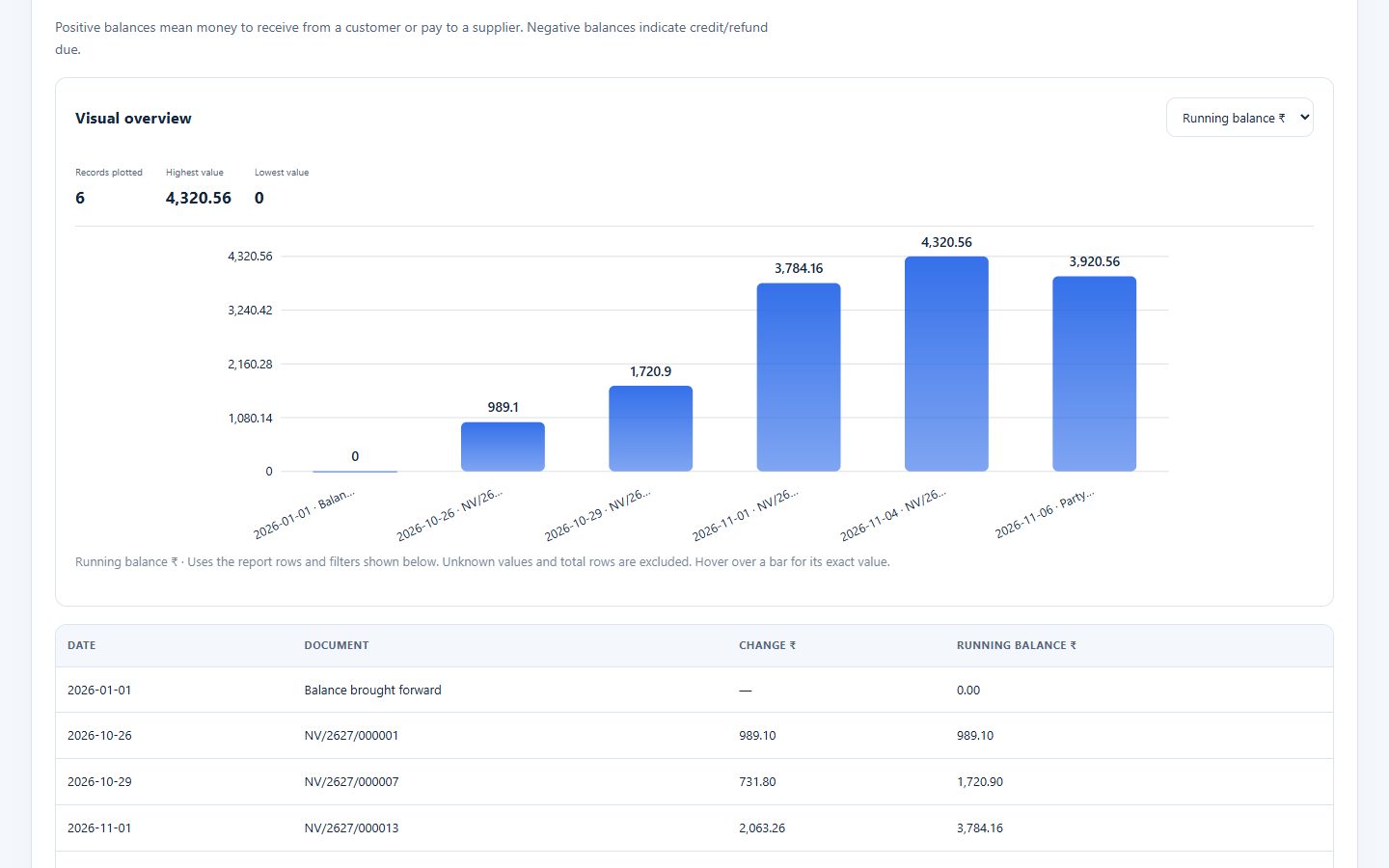
- Credit (udhaar) trackingRunning balance for every customer and supplier.
- Party statementsLedger-style statement with a chart, ready to print or share.
- Collect against many billsOne payment split across several invoices; advances kept.
- Overdue alertsSee customers with bills past their due date.
- Party-to-party transfersSettle balances between two parties without cash.
06 · CASH, BANK & ONLINE PAYMENTS
Cash, bank & online payments
Every rupee in, every rupee out, in the right account.
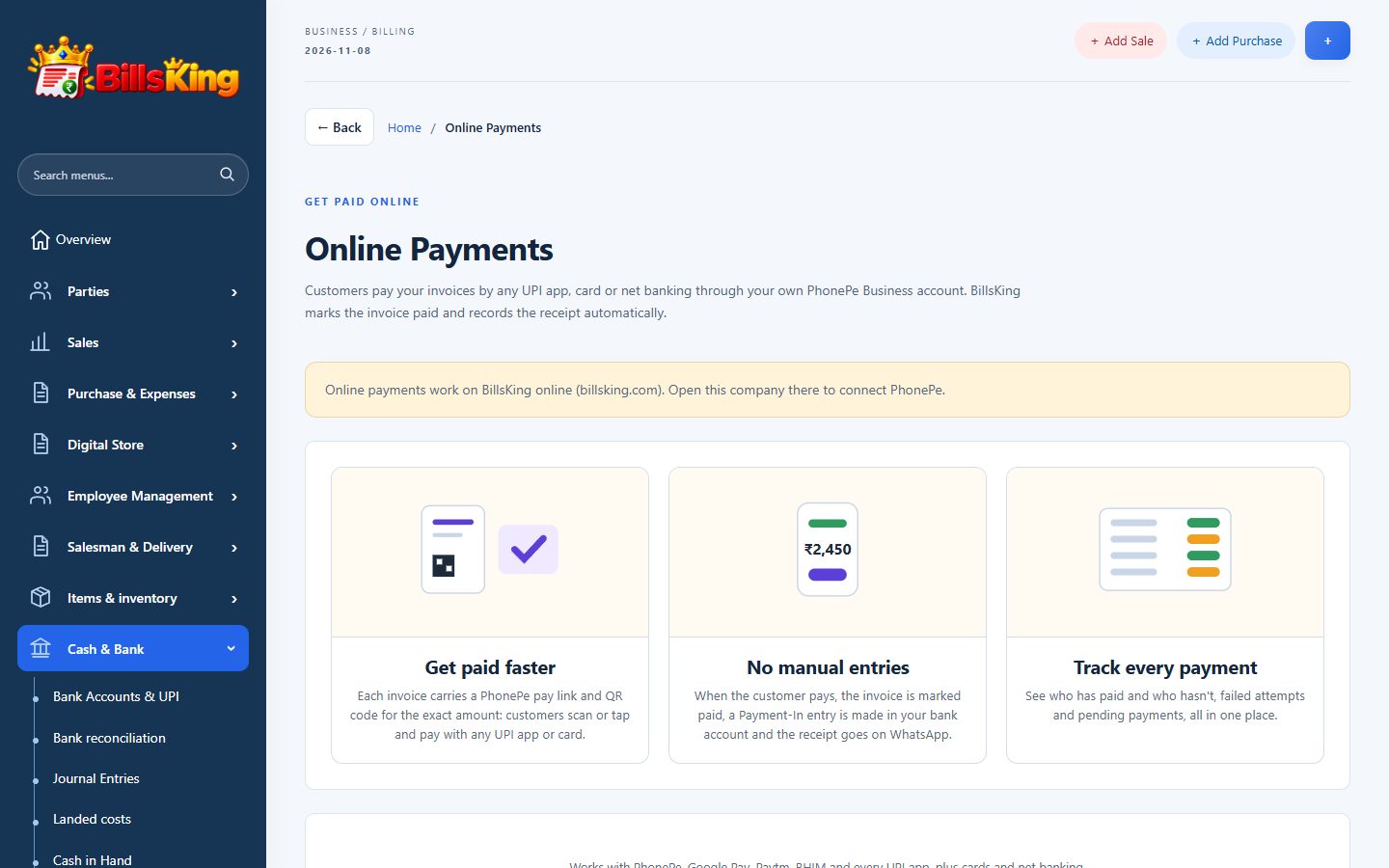
- Bank accounts & UPIMultiple bank accounts, cash in hand and a UPI QR on your invoices.
- PhonePe online paymentsCustomers pay an invoice by UPI, card or net banking; it is marked paid automatically.
- ChequesTrack received and issued cheques until they clear.
- Bank reconciliationMatch your books with the bank statement.
- Loan accounts & journal entriesLoans, adjustments and opening balances.
- TDS / TCS & foreign currencyRecord deductions and bills in other currencies.
07 · REPORTS & GST
Reports & GST
The numbers behind your business, without asking your accountant every time.
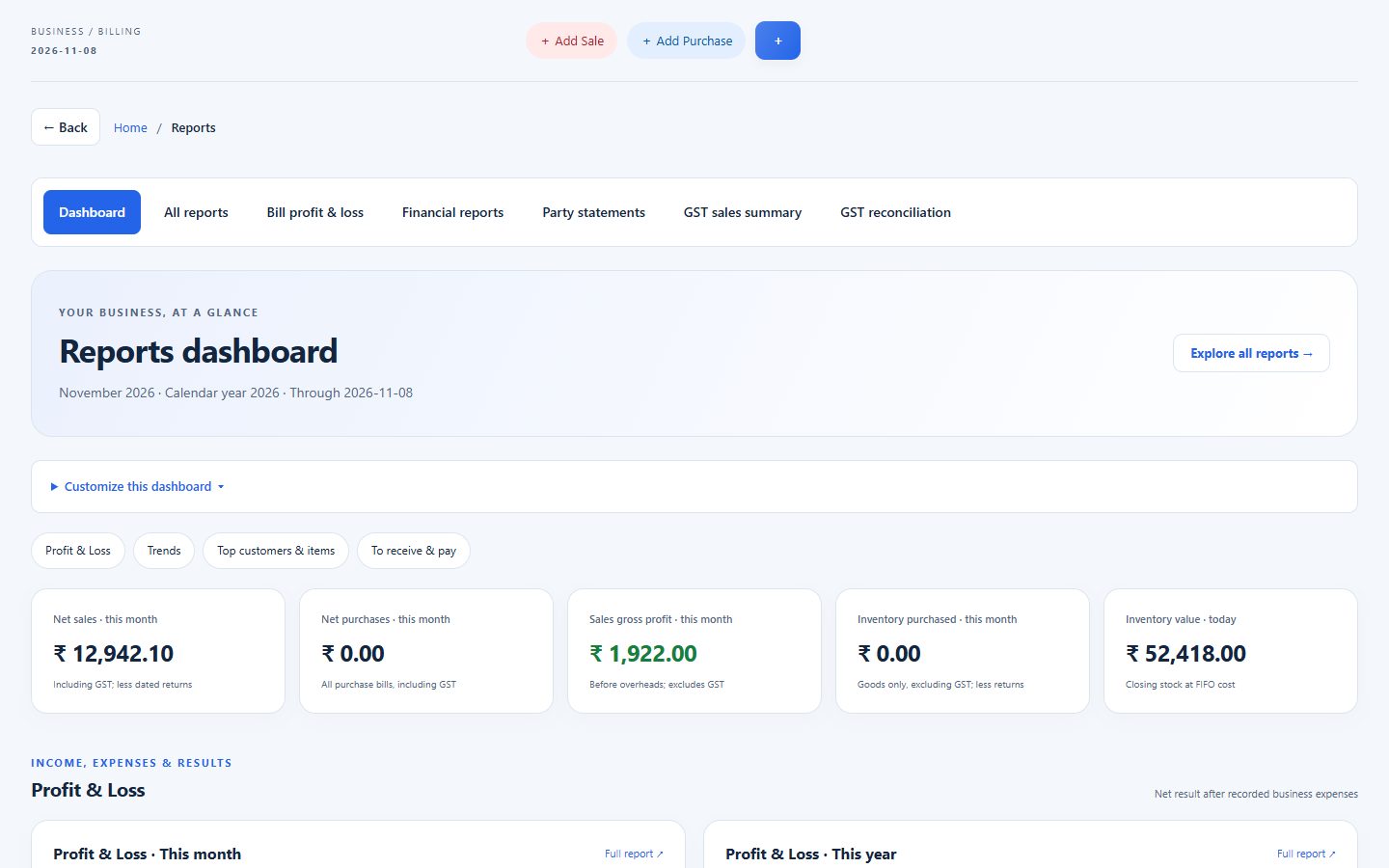
- Reports dashboardSales, purchases, profit, stock value and dues at a glance.
- Profit & loss, balance sheetPlus trial balance, day book, cashbook and ledgers.
- GST sales summary & HSNB2B / B2C and rate-wise HSN summary for your return.
- GST reconciliationCompare purchases with the GSTR-2B file downloaded from the GST portal.
- Bill-wise profitProfit for every sale using actual purchase cost.
- Excel & PDF exportsEvery report downloads for your CA; share books with your CA directly.
- Year closingClose the financial year and carry balances forward.
08 · WHATSAPP & ONLINE STORE
WhatsApp & online store
Reach customers where they already are.
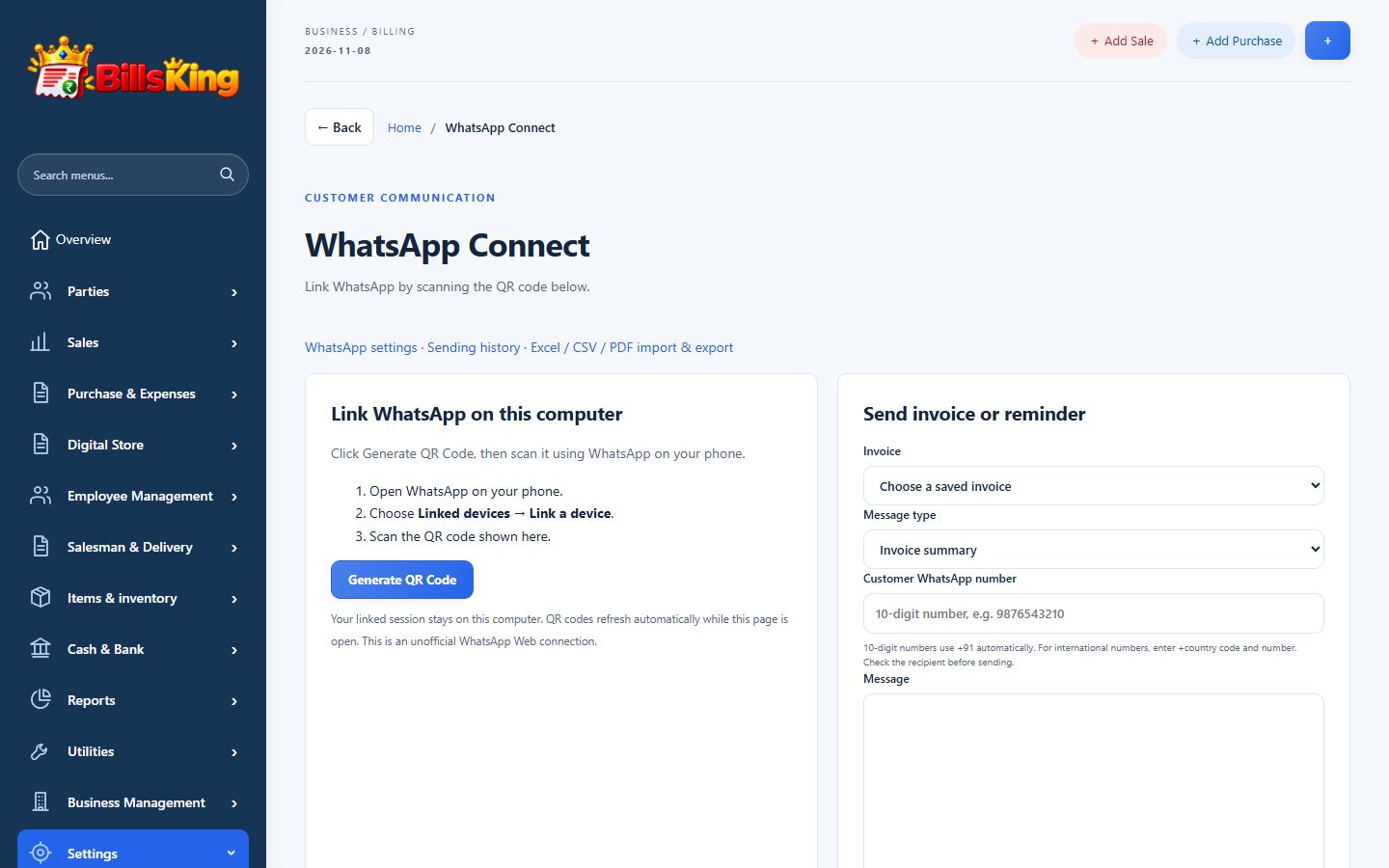
- Your own WhatsAppLink your shop’s WhatsApp by QR code and send invoices from your own number.
- Automatic messagesInvoice, payment receipt and payment reminders go out by themselves.
- Pay-online link in messagesReminders include a link to pay through your PhonePe account.
- Digital storeYour catalogue online with your own link; customers order, you bill.
- Store chats & offersTalk to store customers and run coupons and offers.
09 · TEAM & BUSINESS
Team & business
Run more than one company and more than one person.
- Multiple companiesSeparate books for each business or branch from one login.
- Staff logins & permissionsChoose what each staff member can see, edit or delete.
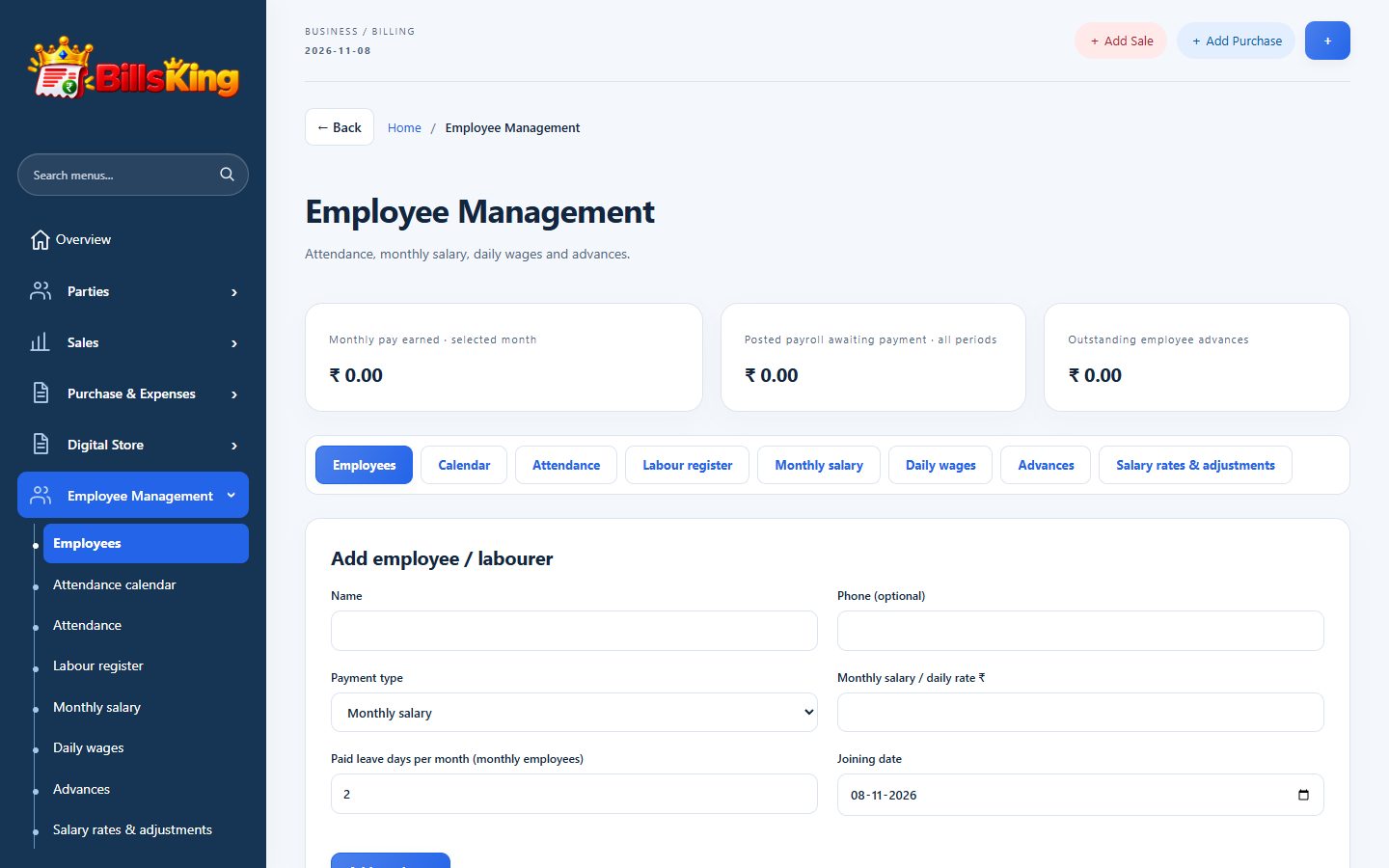
- Employees & payrollAttendance calendar, monthly salary, daily wages and advances.
- Salesman & delivery trackingDeliveries, customer visits and live location from the team member’s phone (Enterprise Fleet plan).
- Audit historyWho changed what and when, for every saved record.
10 · DATA & SECURITY
Data & security
Your books are yours, and they stay safe.
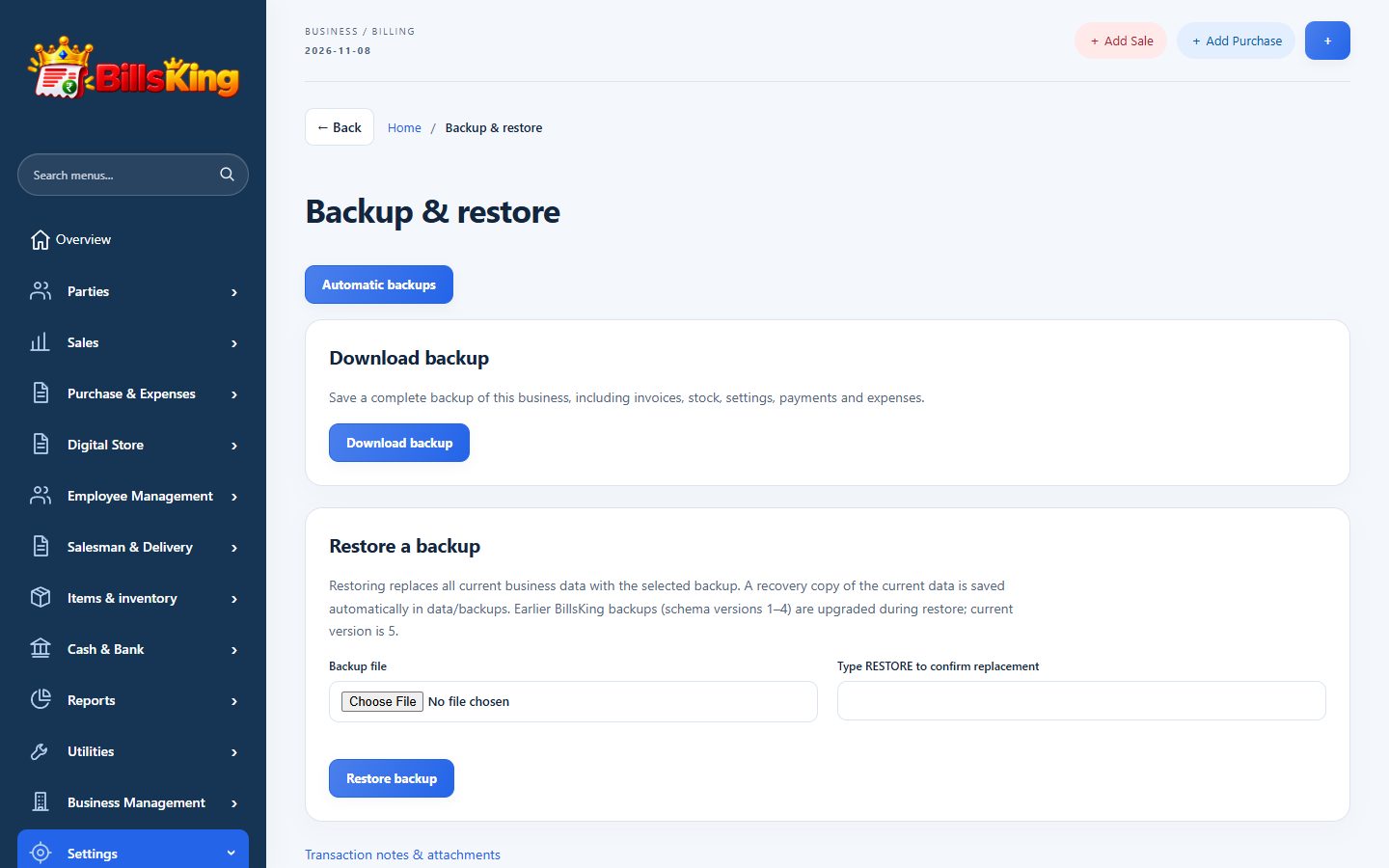
- Automatic backupsDaily backups of every company, kept in secure storage in India (Mumbai).
- Download & restoreDownload a full copy of your company any time.
- Two-step sign-in & device listEmail code at sign-in and a list of signed-in devices you can log out.
- Works on any deviceComputer, laptop, tablet or phone browser — nothing to install.
- Themes & dark modeChoose the colour theme that suits your eyes.
No function matches your search. Ask us — it may be on the way.
ON EVERY DEVICE
Bill from the counter, check from your phone.
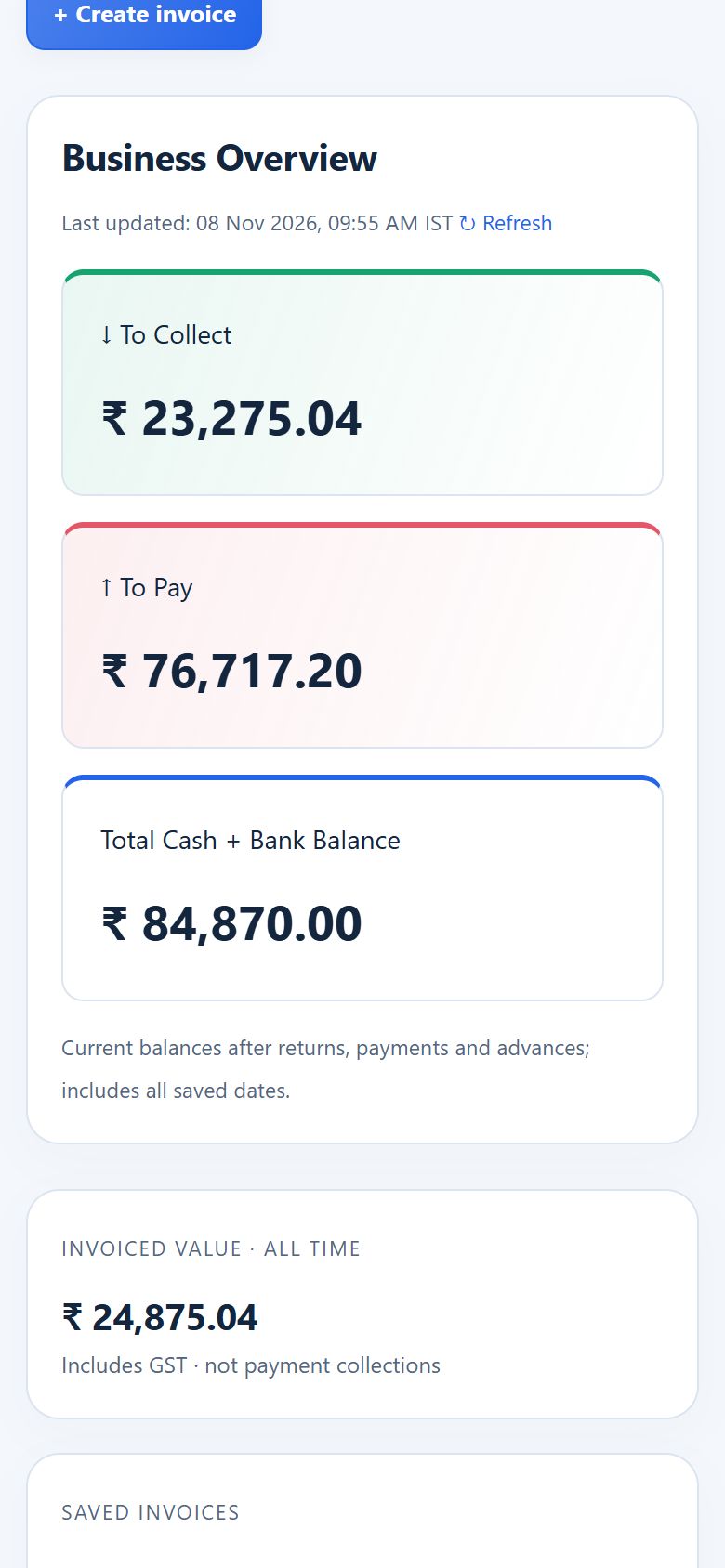
BillsKing runs in any modern browser on a computer, laptop, tablet or phone. Nothing to install and nothing to update.
Same books everywhere
Bills saved at the counter appear on the owner's phone straight away.
Staff on their own login
Each person sees only what you allow.
Print anywhere
A4, A5 or thermal from the computer; share a PDF on WhatsApp from the phone.
Safe if a device is lost
Your data is on the server, backed up daily. Log out lost devices from Security & devices.
See it with your own items.
Start the 14-day free trial, or ask for a free demo for your type of business.